Turn the stories you tell
into chapters worth keeping.
Choose an interviewer, share one memory, and get a polished chapter you can edit, listen to, and keep.

How Chapter works
From one conversation
to a life in chapters.
Start with one memory. Chapter guides the rest.
Choose your interviewer
Pick the voice and style that makes the conversation feel natural.
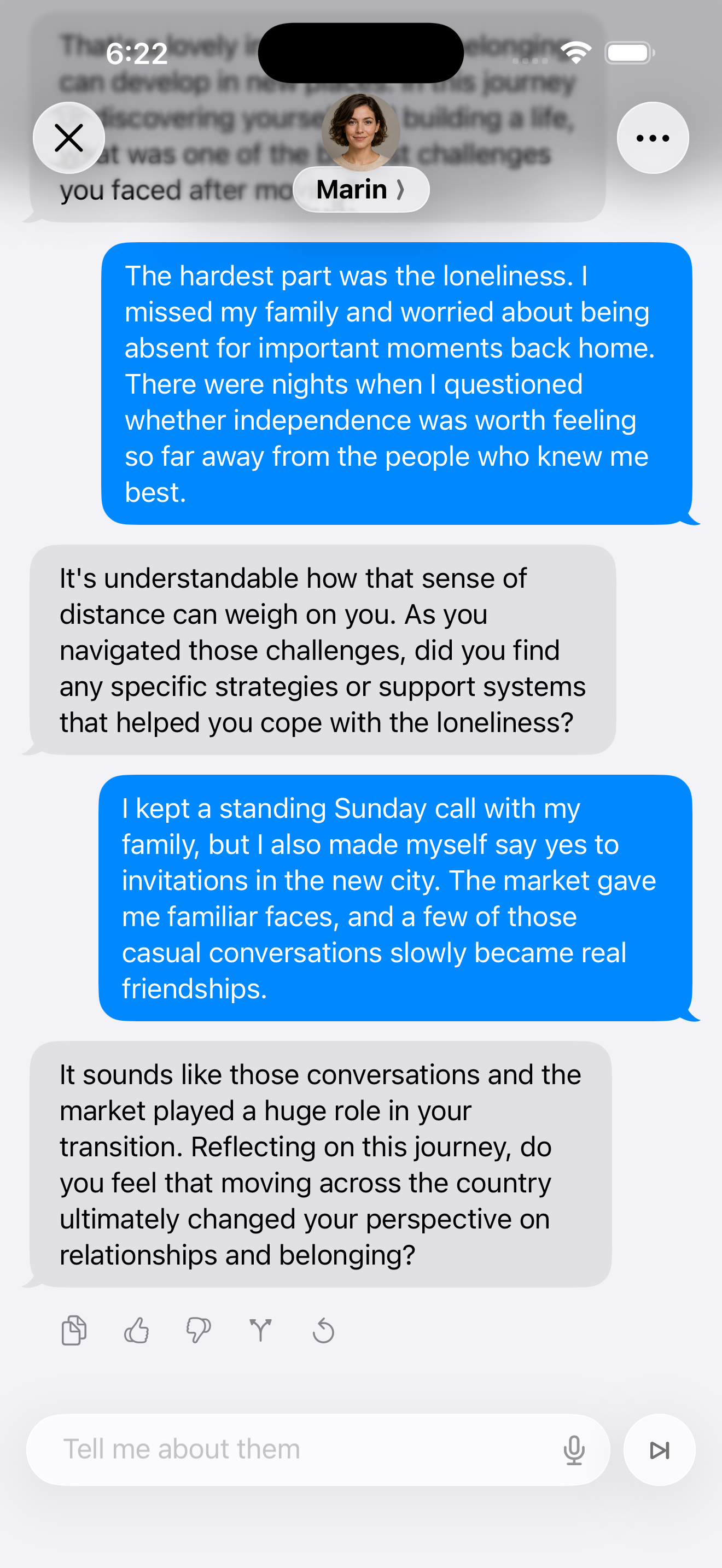
Have a guided conversation
Speak or type about one memory. Thoughtful follow-ups uncover the details that matter.
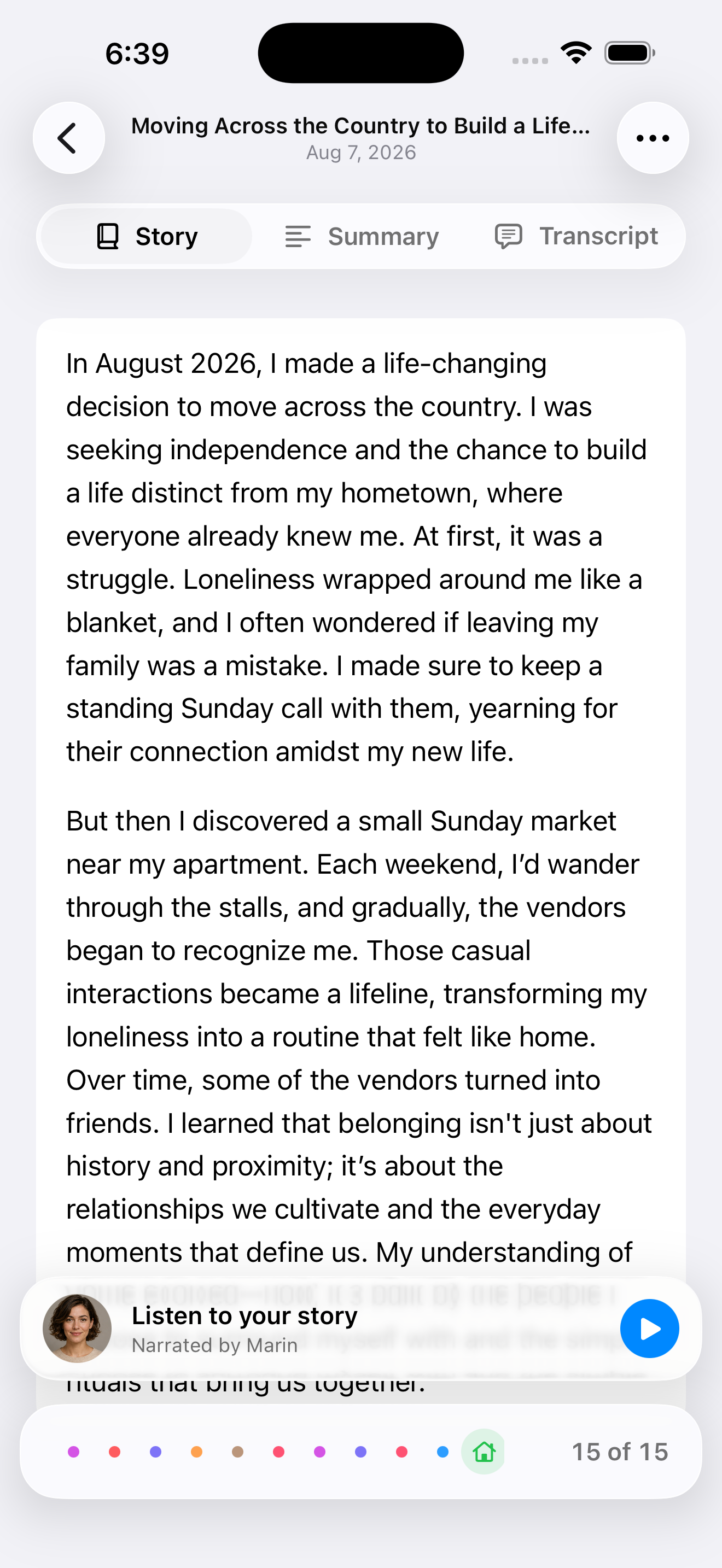
Review your chapter
Your interviewer turns the conversation into a polished chapter. Edit every word and keep the transcript.
Share your chapter
Preview a polished image of your story, then share it wherever you choose.
Build your timeline
Save the chapter to your private timeline. Add another whenever a memory comes to you.
Create your ebook
Turn selected chapters into a private ebook with your cover, title, dedication, and author name.
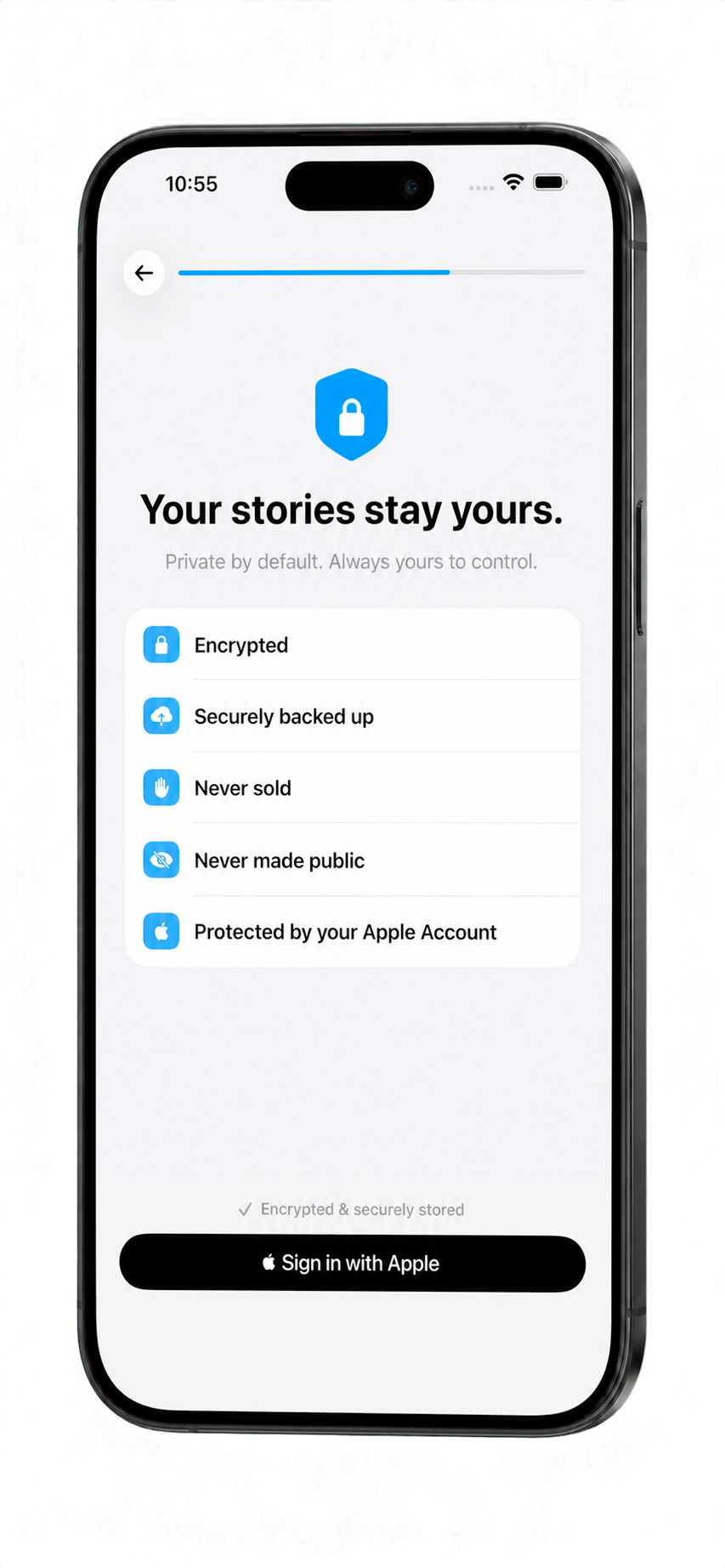
Private by default
Your stories stay yours.
Nothing is published automatically. You decide what to edit, export, or share.
Questions, answered
Start small.
Stay in control.
Do I need to be a writer?
No. Speak or type naturally. Chapter helps shape your answers into a story.
Do I have to tell my whole life story?
No. Start with one memory from any point in your life.
Can I change what Chapter writes?
Yes. Review and edit every chapter while keeping the original transcript.
Are my stories public?
No. Chapter is private by default and never publishes your stories automatically.
Can I speak instead of type?
Yes. Use your voice, the keyboard, or both.
What do I receive after several chapters?
A personal timeline you can turn into a private ebook.

Begin with one memory